
Edit or Cancel an Event
Manage details, collaborators, and cancellations from Created events.
Quick Answer
All events you organise appear in the Created section, where you can manage every detail of your professional events.
From your events management table:
- Monitor registrations and participant engagement
- Invite additional participants or professional collaborators
- Edit event details, schedule or descriptions
- Cancel events when necessary, with automatic participant notification
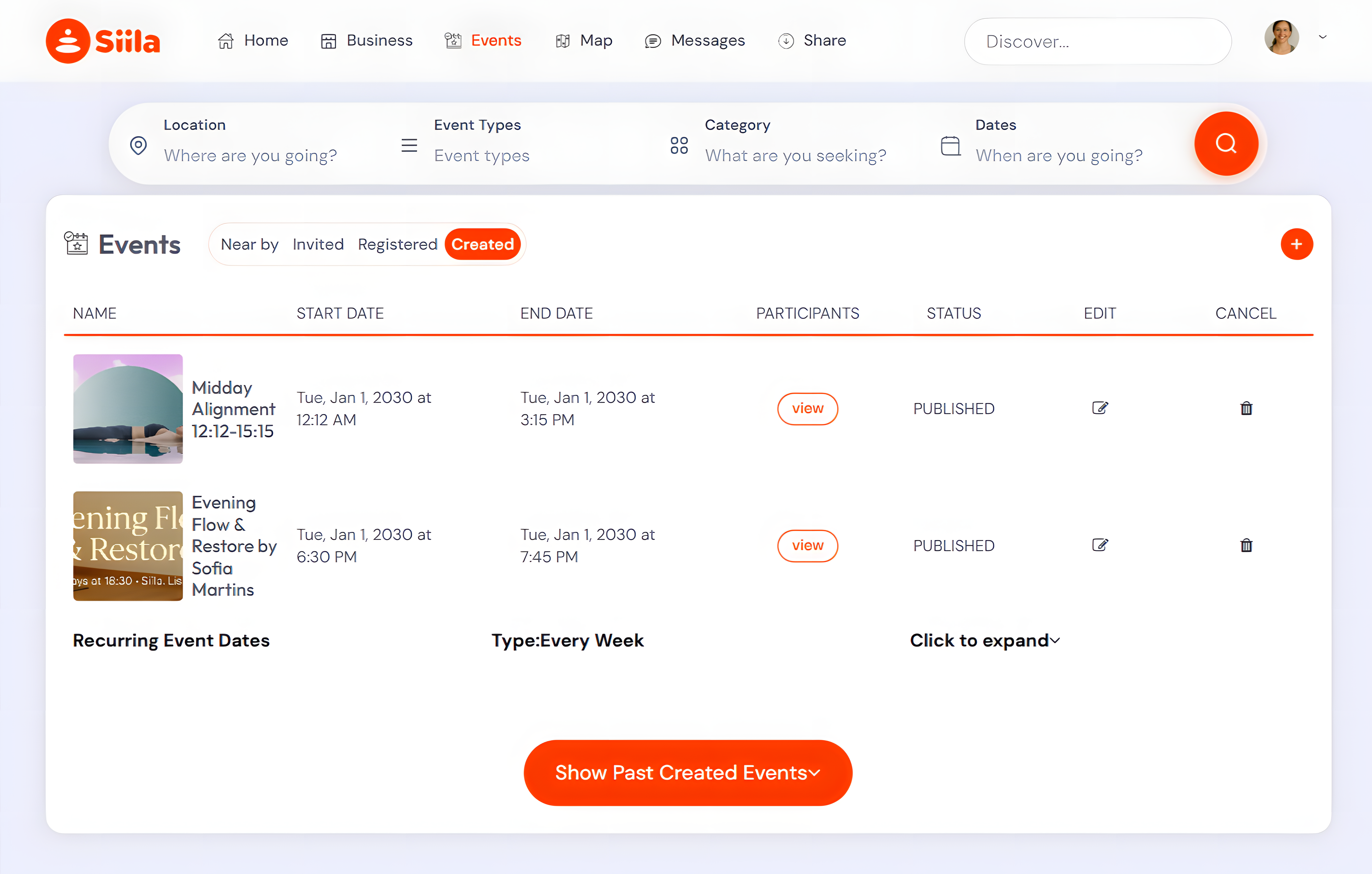
Edit an Event - Click the pencil icon (✏️) to update any event detail.
Cancel an Event - Click the trash bin icon (🗑) to cancel. All registered participants will automatically receive an email notification.
